LEDN
Scaling Corporate Onboarding by Embedding Compliance
Timeline:
2 Months
Role
Lead Product Designer (Initial Sole Designer)
Team
Customer Experience, Legal,
Compliance, Engineering
Industry
Crypocurrency
Skills
UX Strategy, Design Thinking, User Research, Prototyping
Context Setting
Business Challenge
Ledn's personal onboarding experience was efficient, but corporate onboarding remained manual, slow, and resource-intensive. Business accounts required extensive coordination between customer experience, legal, and compliance teams, resulting in long activation timelines and inconsistent user experiences.
As Ledn expanded its business and institutional offerings, this workflow became a constraint on growth. Scaling onboarding meant scaling people.
My Role
I led the redesign of corporate onboarding as the product designer on the initiative. I worked closely with customer experience, compliance, legal, and engineering to define requirements, align on risk boundaries, and translate regulatory complexity into a self-serve product experience.
My objective was to reduce operational load while preserving compliance, accuracy, and user trust.
Constraints
Stakeholder Realities
Corporate onboarding required detailed documentation, ownership disclosures, and jurisdiction-specific compliance checks. These requirements were non-negotiable and historically managed off-platform, creating delays, review bottlenecks, and limited visibility for users and internal teams.
Approach
The Product Strategy
I designed a guided, step-by-step onboarding flow that embedded compliance directly into the product experience.
Businesses progress through clearly defined stages: account type selection, company details, ownership disclosure, document submission, and compliance attestations. Requirements are introduced progressively, with contextual guidance and progress indicators to reduce uncertainty and drop-off.
01
Account Type Selection
02
Company Details
03
Ownership Disclosure
04
Document Submission
05
Compliance Attestations
The experience was designed to work seamlessly across desktop, tablet, and mobile.
Design outcome
Key Screens
Entry Point
app.ledn.io
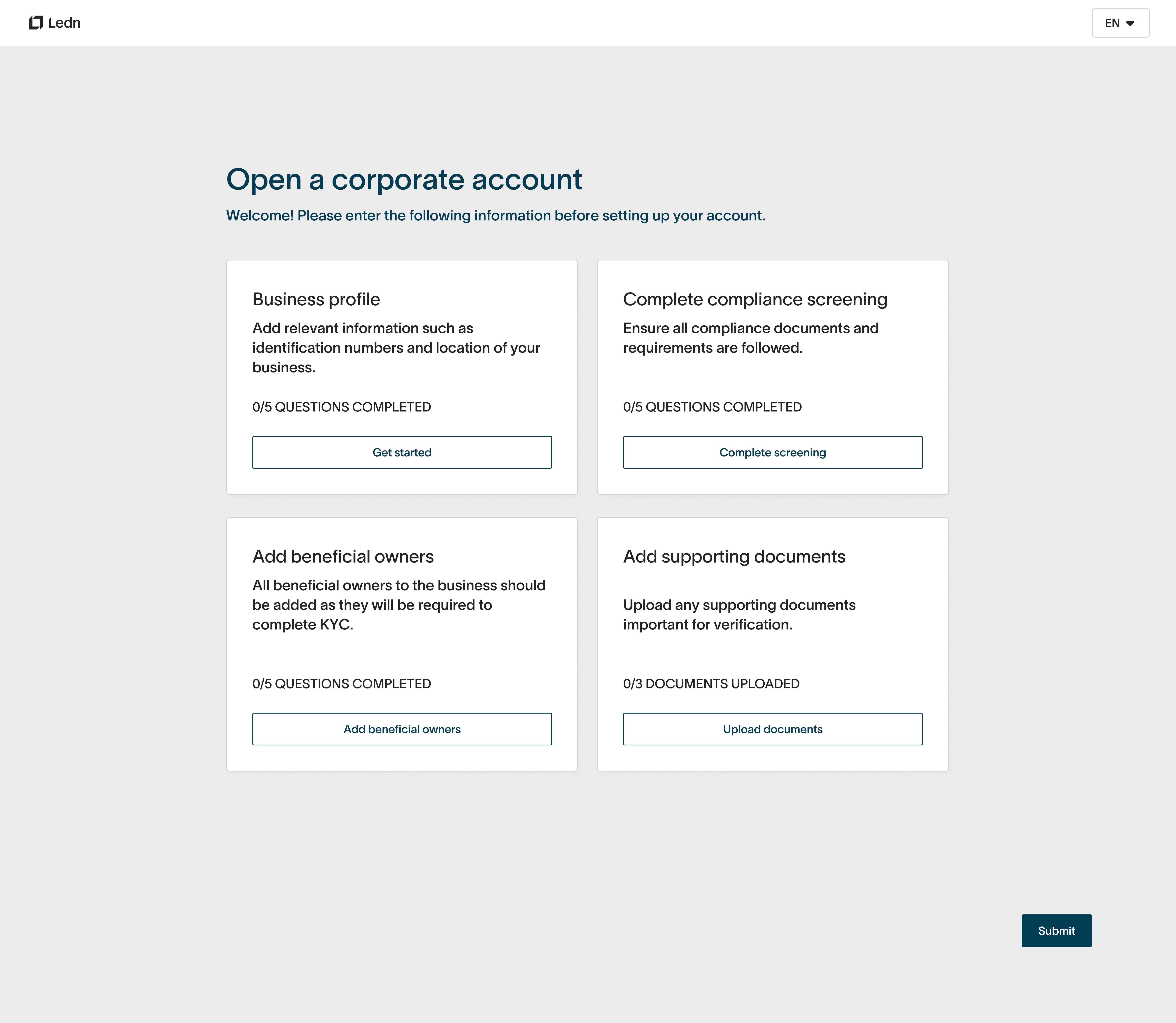
Business account registration — capturing essential information with a clean, trust-driven form
Onboarding Dashboard
app.ledn.io
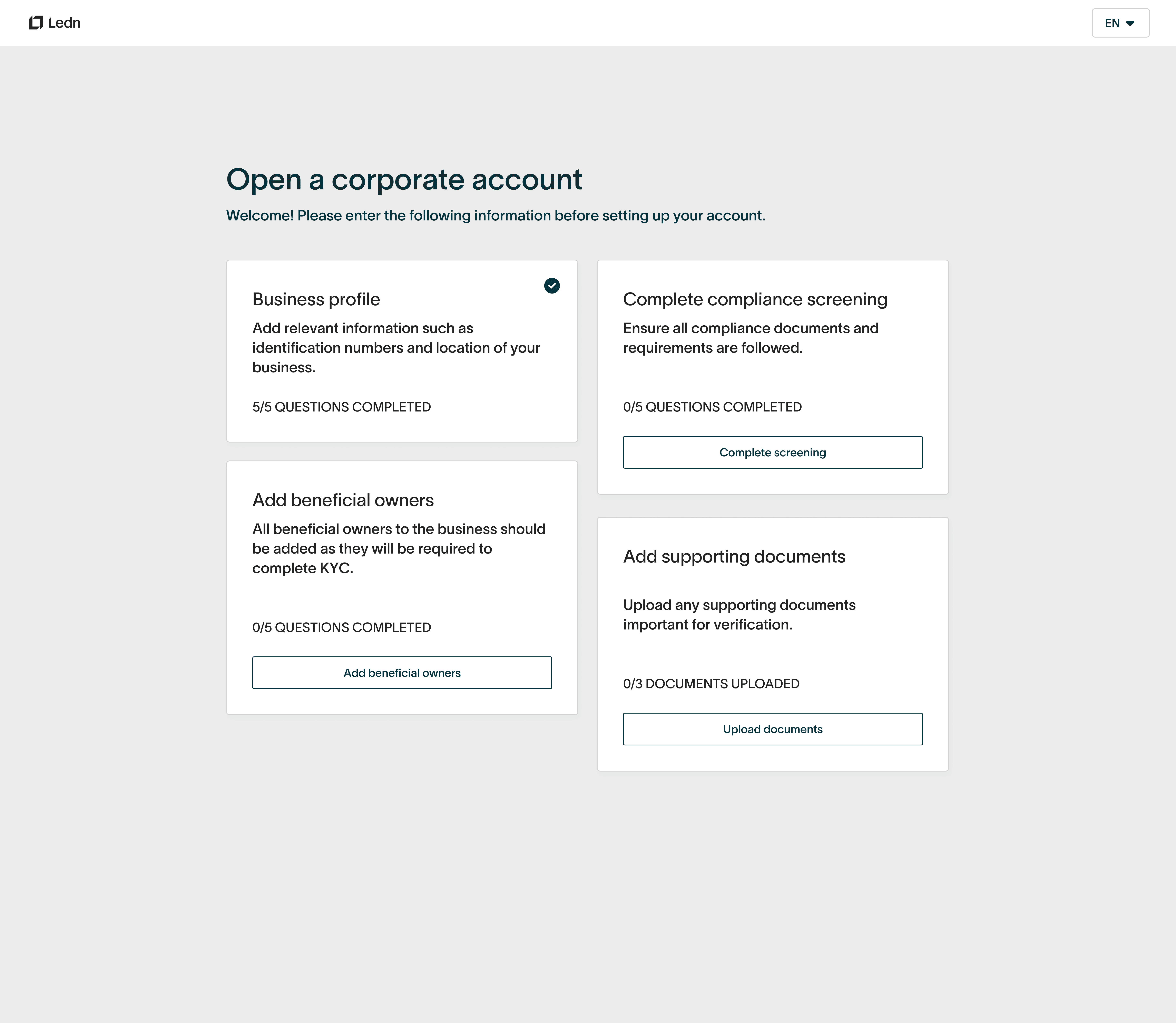
Step-by-step overview of all onboarding tasks with clear progress tracking
Beneficial Owners — Detail
app.ledn.io
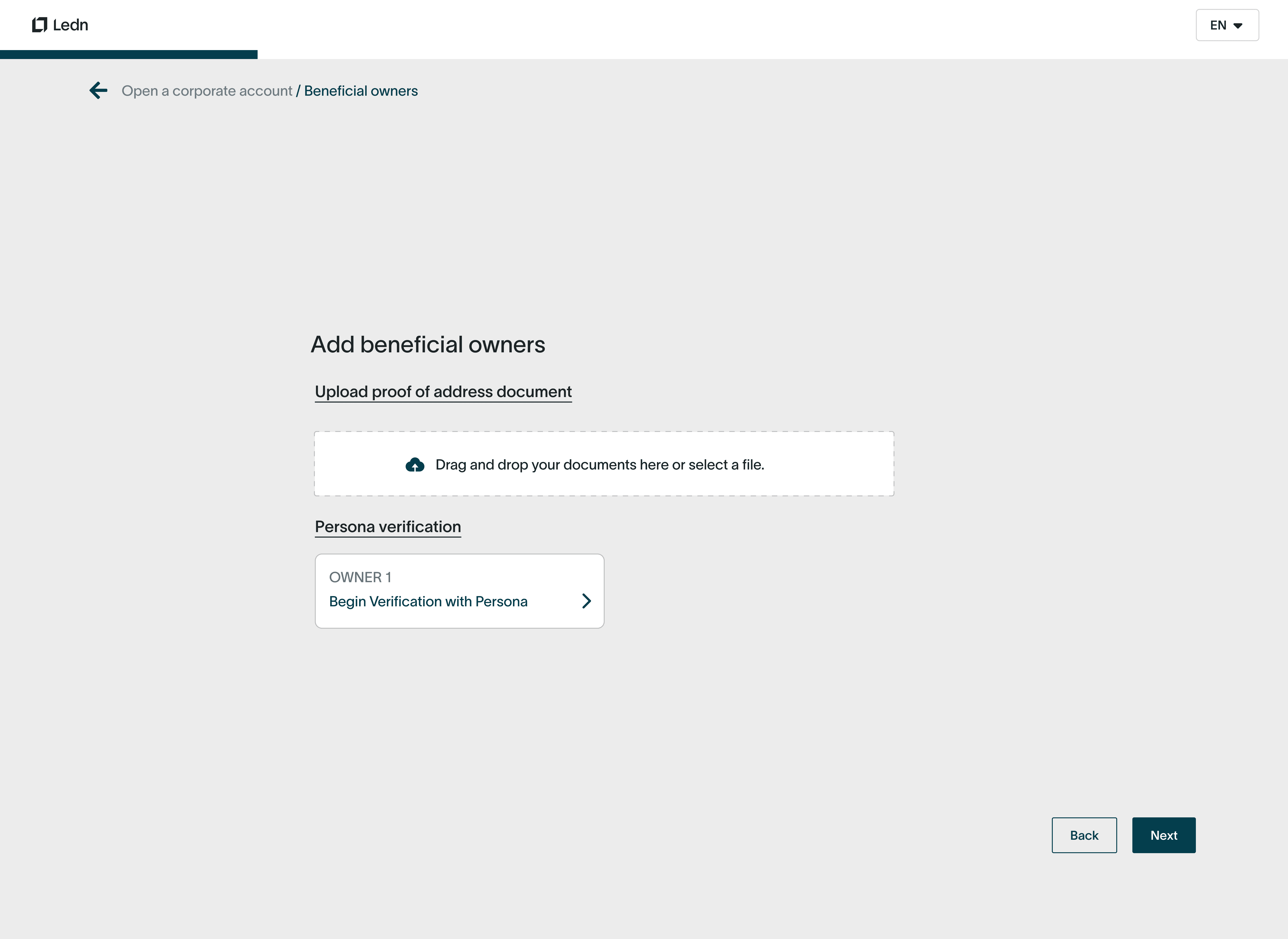
Step-by-step overview of all onboarding tasks with clear progress tracking
Document Submission
app.ledn.io
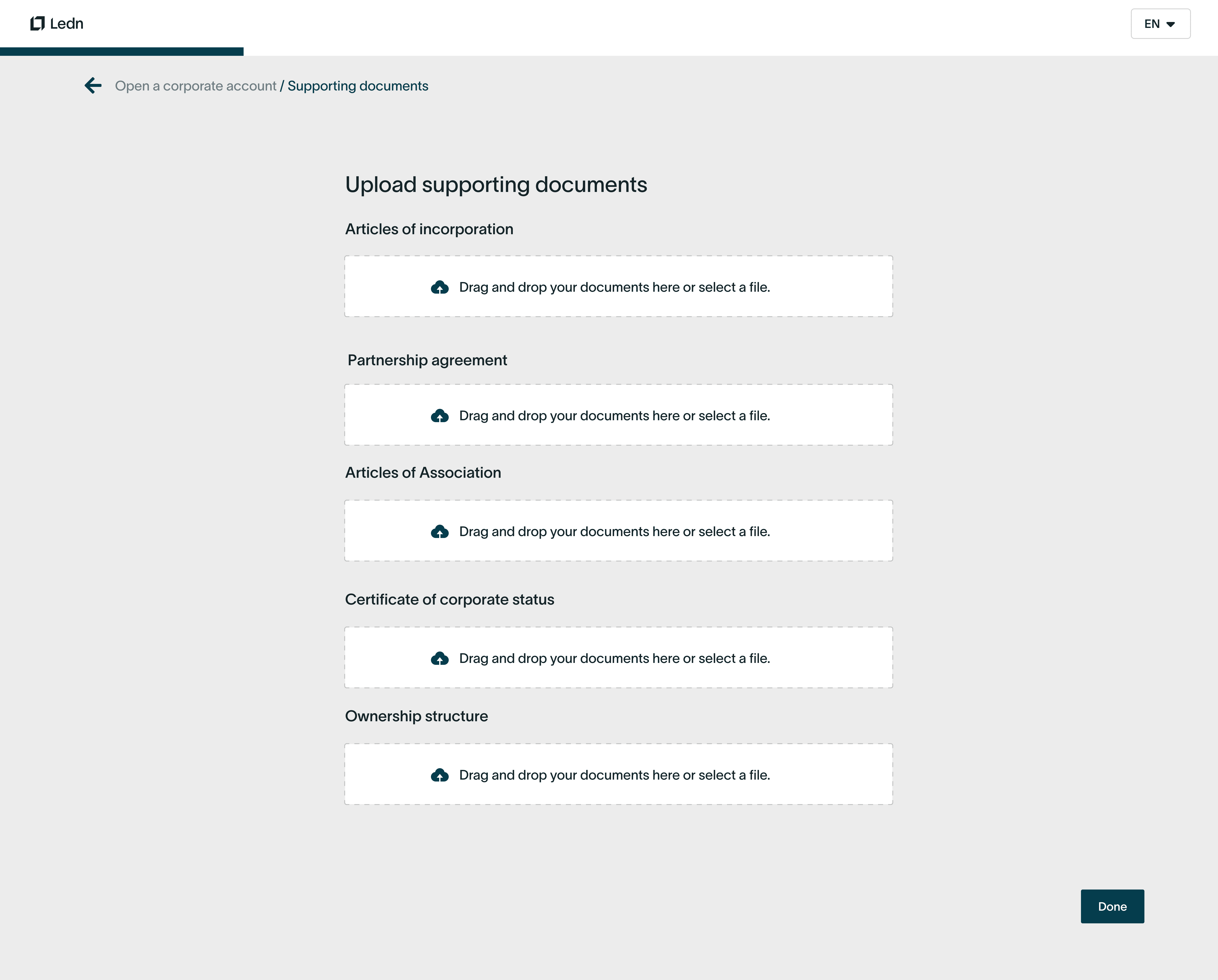
Structured upload flows for articles of incorporation, partnership agreements, and corporate status documents
Compliance Checkpoint
app.ledn.io
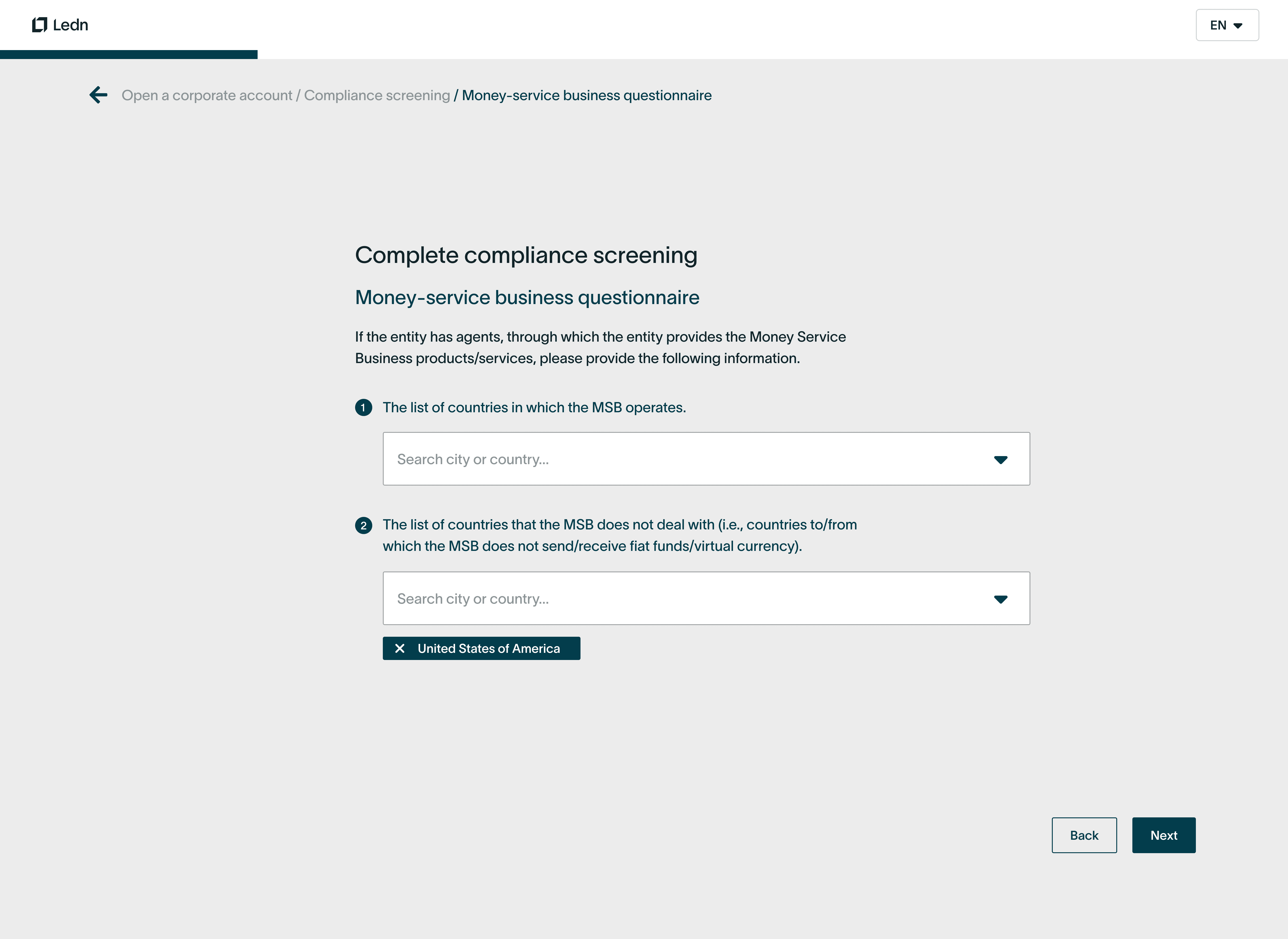
Clear confirmation step before final submission ensures data accuracy
Completed State
app.ledn.io
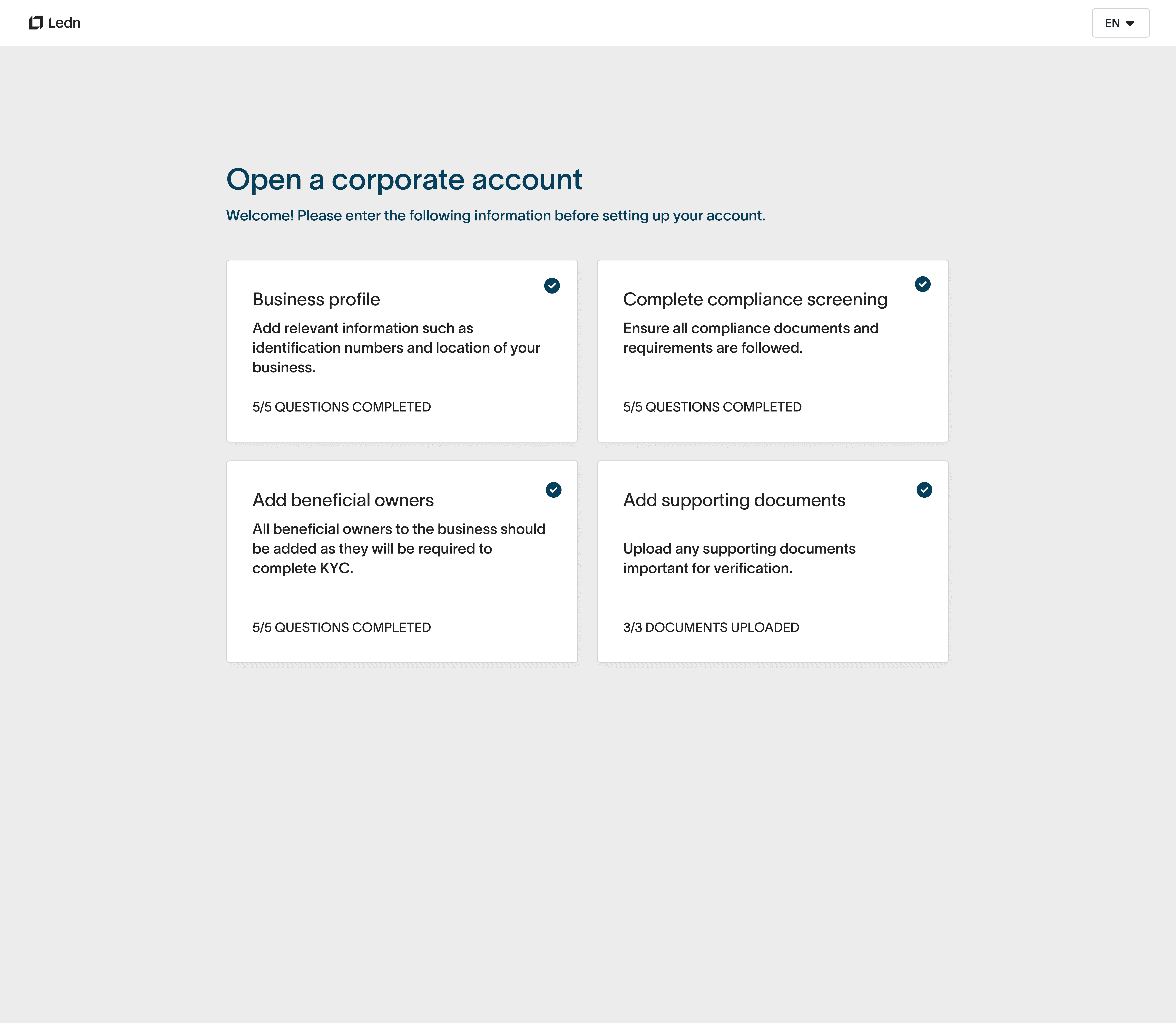
All steps completed — ready for compliance review with full visibility into submission status
Exploration
Before arriving at the final solution, I explored multiple structural approaches to understand how different patterns would serve both user needs and compliance requirements. These explorations were shared with stakeholders to align on the direction that best balanced usability, scalability, and regulatory needs.
Tab Variations
Account Type Selection: Side-by-Side Cards vs. Tabbed Navigation
I explored two patterns for distinguishing personal and corporate account paths. Side-by-side cards offered visual clarity and immediate comparison, while a tabbed interface reduced cognitive load by focusing attention on one path at a time. The tabbed approach was ultimately chosen for its cleaner information hierarchy.
Option A — Stacked Cards
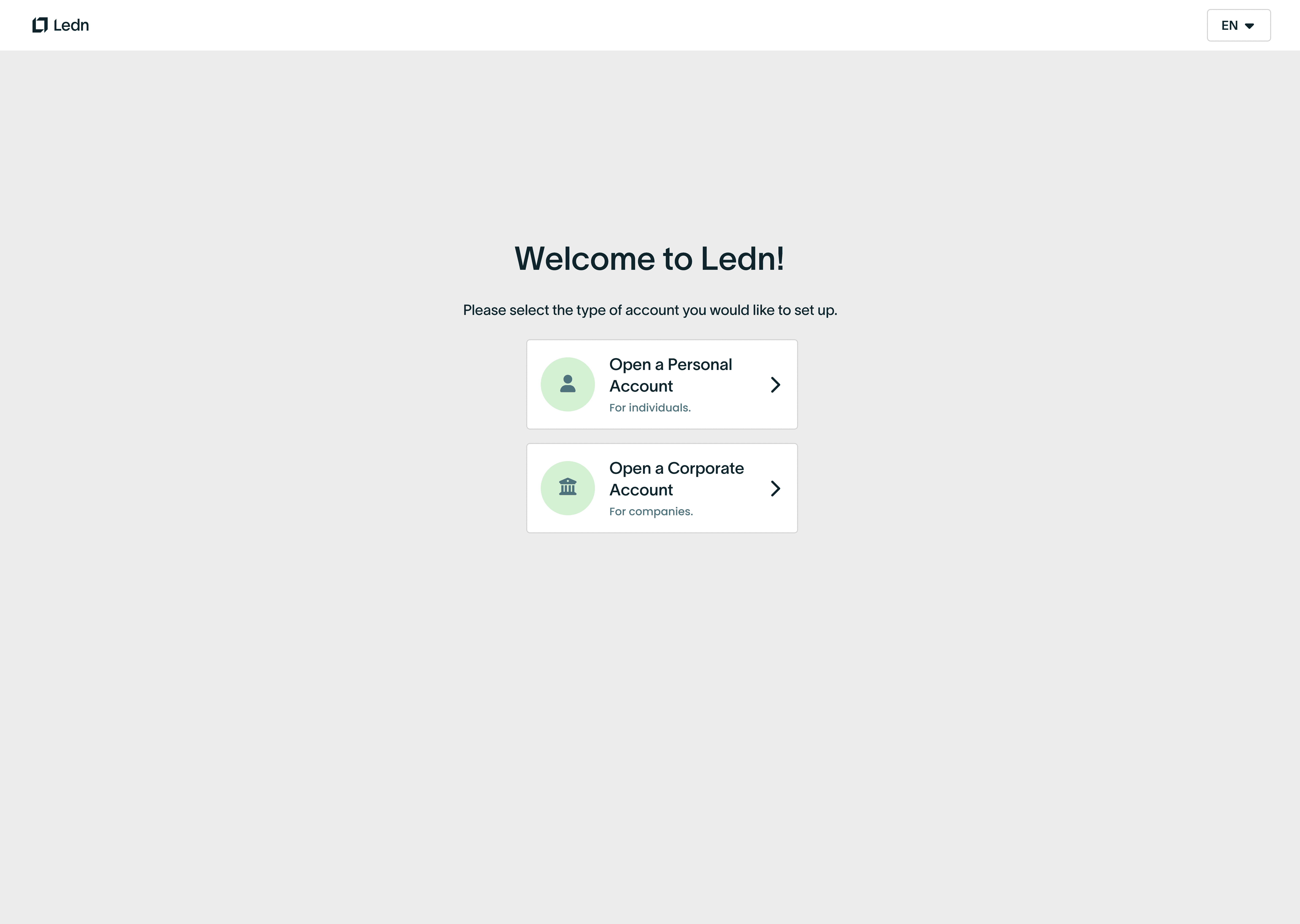
Two card layout gives equal visual weight to both account types
Option B — Tabbed Navigation
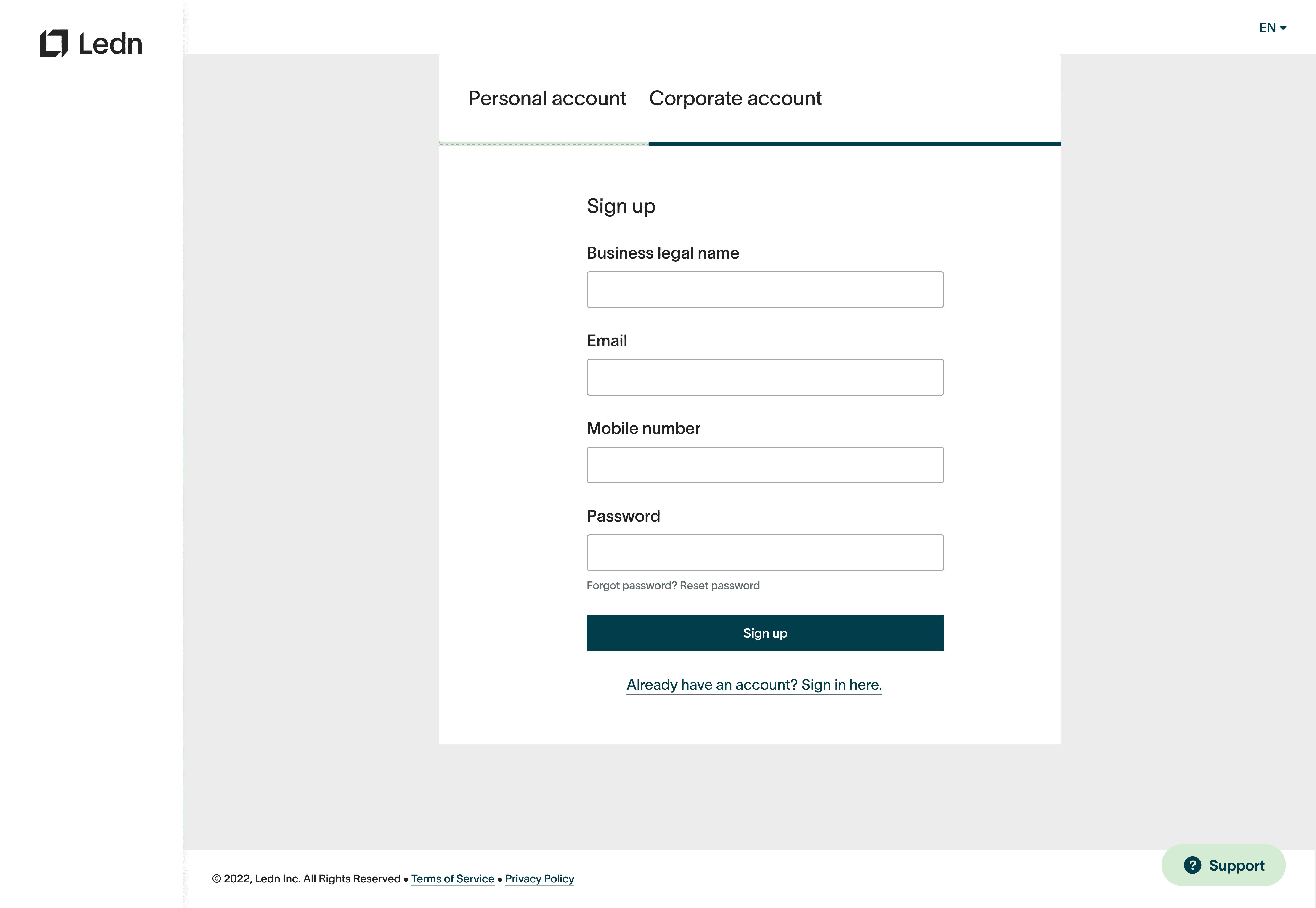
Tabs focus attention on the selected account type, reducing visual noise
Forms vs. Step Format
Business Profile: Long-Form Input vs. Progressive Steps
A critical design decision was whether to present business information as a single long form or break it into progressive steps. The long form offered completeness at a glance but risked overwhelming users with 15+ fields. The stepped approach, chosen for the final design, introduced requirements progressively — reducing perceived complexity while maintaining data accuracy.
Option A — Single Long Form
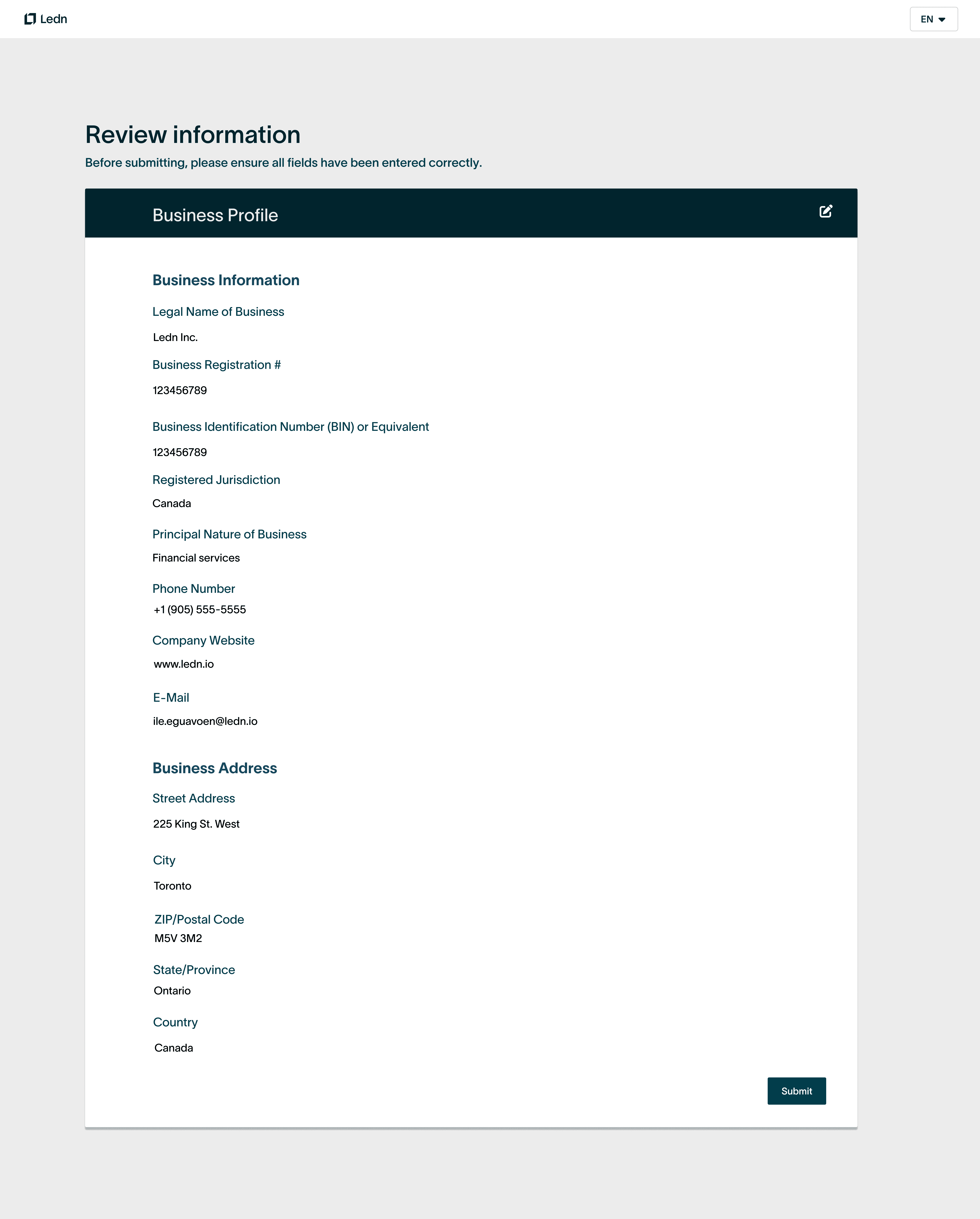
All business fields visible at once — efficient but visually dense
Option B — Progressive Steps (Chosen)
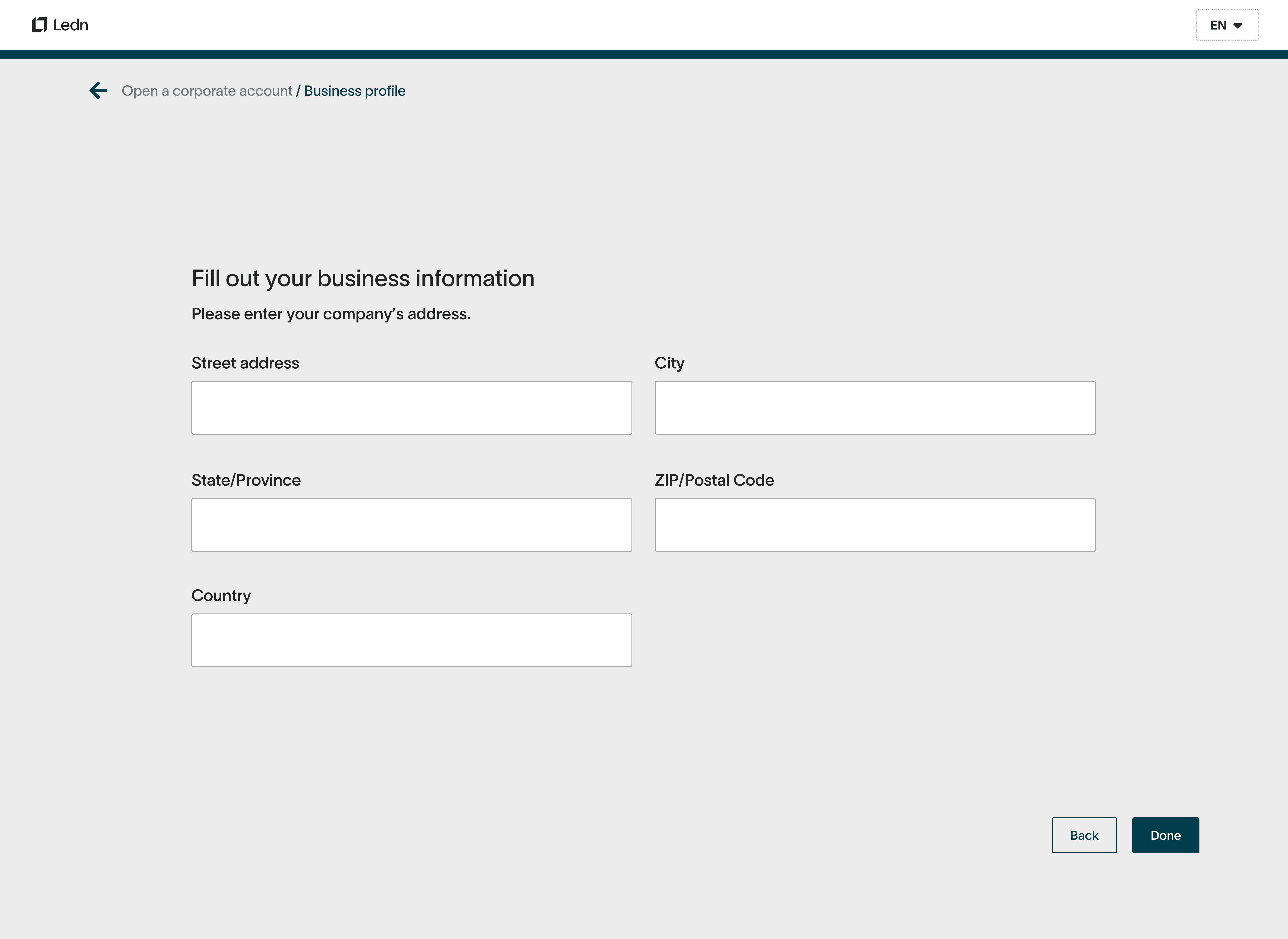
Stepped disclosure reduces cognitive load and improves completion rates
Priority 01
Customize categorization options
Explore how users want their transactions categorized and whether they'd like autonomy in bucketing them appropriately.
Priority 02
Simple and intuitive
Users should be able to complete budgeting tasks on the go. The process of setting a budget should be quick, without unnecessary questions.
Priority 03
Integrate with Savings Goals & Insights
Explore what Insights can be entry points to create a budget, and how end-of-period savings can contribute to the Savings Goals experience.
Priority 04
Encourage budgeting habits
Alerts and reminders help clients stay on track. Presenting timely, actionable information will develop consistent usage of the tool.
Design Decision
The progressive step format was chosen because it reduced form abandonment, allowed contextual validation at each stage, and gave compliance teams predictable data structures for review. Each step maps directly to an internal review checkpoint, aligning the user experience with operational workflows.
Impact
Standardized
Inputs across all corporate onboarding, reducing back-and-forth with internal teams
Shortened
Onboarding cycles with more predictable compliance reviews
Scaled
Corporate client volume without increasing operational headcount
Most importantly, Ledn could onboard corporate clients at higher volume without increasing operational headcount. The onboarding experience now reflects Ledn's premium, trust-driven brand while supporting growth.
additional work
explore more
Enquiries
social
© ilelosa eguavoen 2026